BABYRHYTHM

3 a.m.
Log it with one thumb and lie back down.

A feeding and diaper log for newborns.

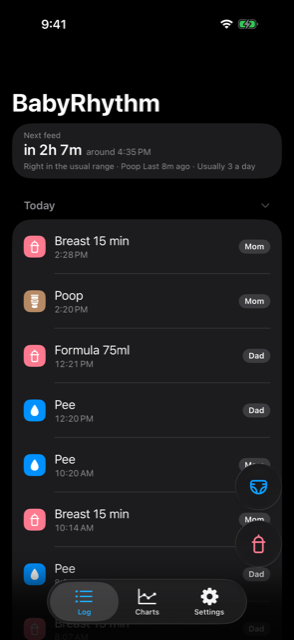
Log screen — the next feed estimate sits at the top
  1. 23:10 · ADD A FEED

    “I just fed him.”

    One button. The time is already filled in.

  2. 01:40 · ADD A DIAPER

    “Changed him too.”

    The only thing to choose is pee or poop.

  3. 05:50 · NEXT FEED

    “When will he wake again?”

    The next feed estimate is there, and Start is right below it. The app never opens.

At night there is nothing else to do.
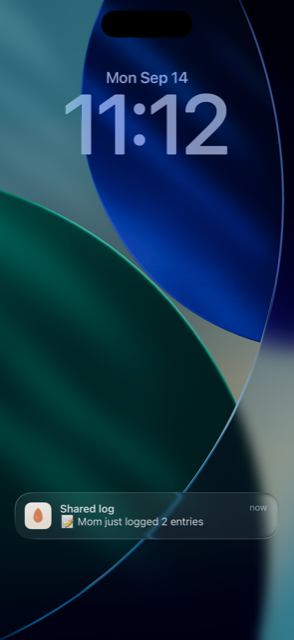
Lock screen notification — “Shared log · Mom just logged 2 entries” The log — entries carry “Mom” and “Dad” badges in turn

DAYTIME · IN DIFFERENT PLACES

One of you logs it, the other just knows

Whoever took the baby home makes up a bottle, feeds him, and presses one button. The one still out never asks — it is already on their lock screen.

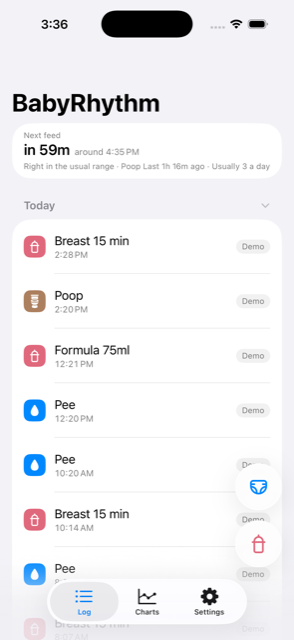
Workdays are the same. Open your phone between meetings and today's feeds are there, each with a name.

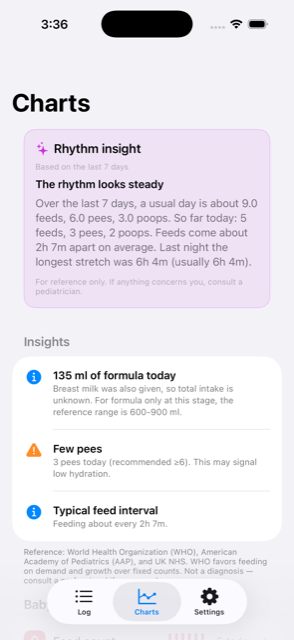
Morning chart screen — a rhythm insight beginning “The rhythm looks steady”

03:12 · AWAKE AGAIN

It tells you it's fine before you ask

Crying again, two hours in. Last night felt like this too, but you can't be sure. You reach for the paper log and give up — not at this hour.

In the morning the app speaks first: “The rhythm looks steady.” Even though you fell asleep without logging a few.

It rarely reaches out on its own. Only when something has stayed different for two days, and never more than once a day. A single off day is not enough.

NEW PHONE · DAY ONE

Delete it, switch phones — it all comes back

New phone. You install the app first, wondering what happened to every entry so far. There is no sign-in screen and no restore button. You open it and it is all simply there.

What is not in it

Having fewer features is the design. Every screen moves the button one step further away at 3 a.m. Those three seconds are what this app protects.

Coming to the App Store.

$5.99 once, forever

No subscription, nothing more to pay inside the app. Your partner doesn't buy it again — Apple Family Sharing covers both of you.

Payment
Buy once. Nothing to buy inside the app
Subscription
None
Ads
None
Account
None
Storage
Your own iCloud
Privacy
Data Not Collected
Who logged
Each entry keeps a name
Device
iPhone · iOS 17 or later
Languages
English · 한국어
Family
One purchase with Apple Family Sharing

When the family organiser turns on Purchase Sharing in iOS Settings → your name → Family Sharing, your family downloads it for free from Purchased in the App Store.

한국어

신생아 수유·배변 기록. 새벽에 한 손으로 적고 다시 눕습니다.